

Ozon · explain the purchase
Create product cards for Ozon online
Show the object, explain its use and make the contents of the purchase unambiguous. Start with a clear photograph and a question the image should answer.

1PIC / A 1PIC example
From a source photo to a clear presentation
A real public 1PIC example. Check your own product and every caption before publication.

DEMO · Honey marketplace card
Different products need different visual tasks
These examples illustrate presentation. Verify your own product specifications and package contents separately.
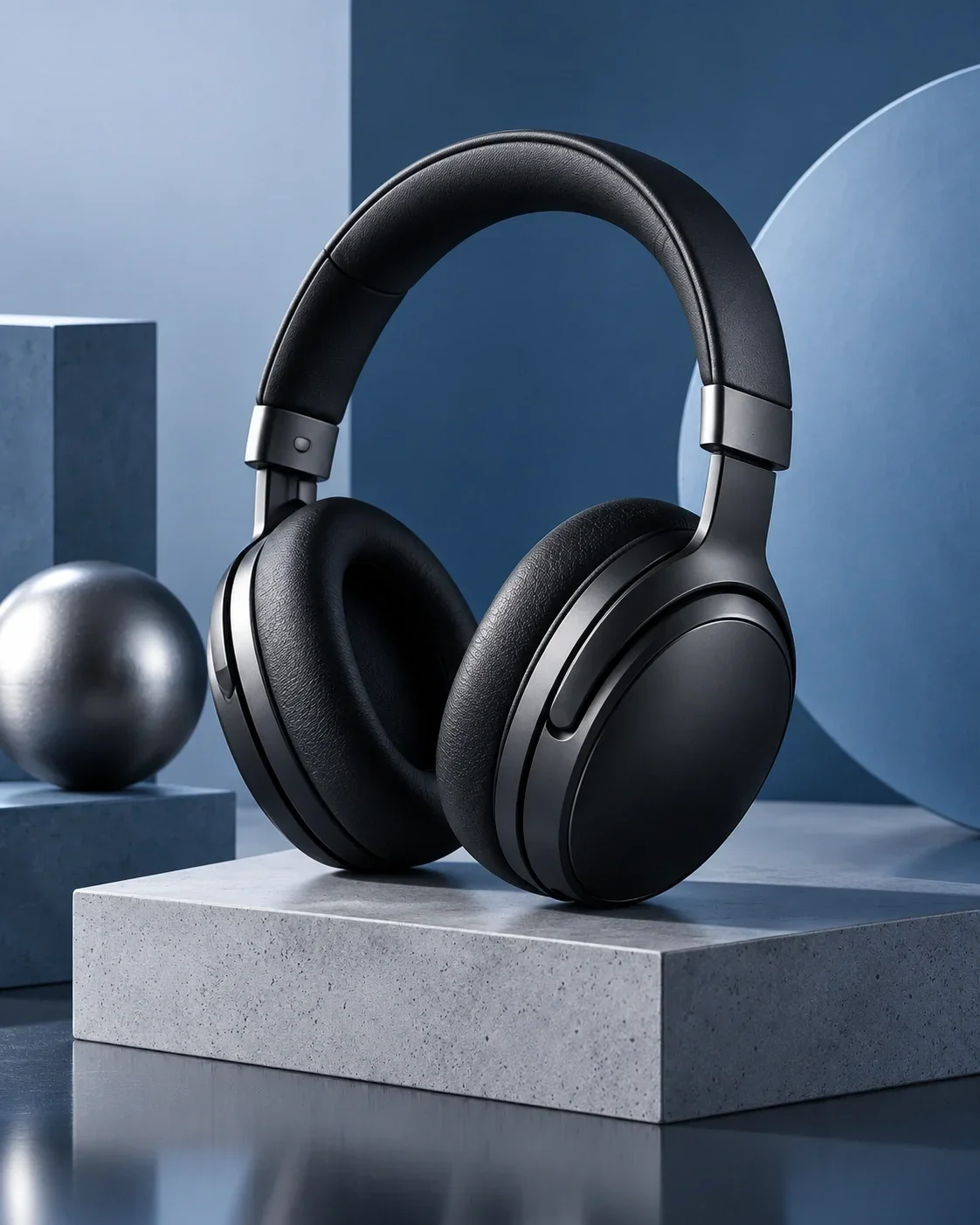


Separate appearance from explanation
Let the customer inspect the actual object first. Then identify what needs more explanation: the contents of a set, the position of a detail, the material or the way it is used. Trying to explain everything in one frame makes each point harder to find.
For headphones, the shape and real accessories matter. For a home object, proportion and placement may be the main question. For packaged goods, keep the packaging recognisable and its information consistent with the listing.
Show the object without adding promises
Begin with a sharp source and a calm composition. Preserve the outline, texture and visible controls. Check that small labels have not turned into meaningless characters, even when the overall image looks plausible.
Reflective surfaces need careful review of highlights and edges. If the purchase contains several parts, show their relationship clearly. Do not introduce an accessory simply because it improves the composition if a customer could reasonably think it is included.
Use context to explain placement
A desk accessory in a work setting or a home item in a suitable room can make use easier to imagine. Evaluate the scene together with the product: does the scale make sense, is the item supported and is the perspective plausible?
A dramatic room can hide the very details the customer needs. If the background is the only memorable element, try a quieter presentation. A scene should explain the object, not create an unconfirmed specification.
Use a model only when the category benefits
For suitable clothing, a model presentation can explain the silhouette. Choose an unobstructed pose and review the cut, print and fastenings. Do not use a person merely as decoration for a category where that adds no useful information.
The model image is a visual presentation, not proof of a universal fit or size. Keep those claims separate and support them with verified product data.
Confirm the specification before styling it
Collect the exact model, material, quantity and dimensions from reliable product records. Separate those facts from instructions about the background and colour palette. AI should not infer technical compatibility or performance from a familiar-looking object.
After generation, compare every caption with the prepared record. Check units and whether a measurement refers to the item or its packaging. Remove claims you cannot substantiate instead of hoping an attractive image makes them acceptable.
Make the contents of a set explicit
Sets need particular care because the visual can accidentally promise more than the purchase includes. Count the actual objects, identify optional accessories and keep decorative props distinct. A short confirmed caption may clarify quantity better than a busy arrangement.
Review the finished image alongside the seller-account description. The customer should not need to guess whether a stand, cable or container is part of the package. Before publication, check the current Ozon requirements for the relevant category.
Check the file as a customer would
Avoid an unclear source, invented specifications, misleading scale and an overloaded layout. These problems require a better source, confirmed data or a simpler brief. Generating again without changing the cause is not a substitute for review.
Inspect the full-size file and a phone-sized preview. Keep the title, characteristics and visual material consistent. The examples are presentation references, not a guarantee of marketplace approval. Upload and publication checks remain separate from preparing an image in 1PIC.
Prepare a photograph and confirmed information. Choose a format and review the result in Studio.
Start with your photo ↗Pricing
See the current cost
Current operation prices and available coin packages. Studio shows the selected task’s cost before you start.
- Product photo
- 3 coins
- Image editing
- 1 coins
- Marketplace card
- 3 coins
Старт
390 ₽45 coins
Базовый
990 ₽120 coins
Про
2 490 ₽330 coins
Before you start
How should I present a set?
Show only the actual contents of the purchase and verify the quantity. Make decorative props and separately sold accessories unambiguous.
Does every image need infographics?
No. A clear product photo may answer the main question. Add short captions when verified facts genuinely help explain the item.
Can I reuse specifications from a similar device?
No. Similar appearance does not establish compatibility, power, materials or package contents. Use records for the exact product.
Will the image be uploaded to Ozon automatically?
No. Prepare and review the file, then publish it separately after checking the current marketplace requirements.
1PIC / STUDIO
Start with one clear image
Your product, verified facts and a specific visual task provide a result you can meaningfully review.
Start with your photo